
Find and end the busywork in your portfolio
Listings, applications, rent, maintenance, and owner reporting. Run by rules on one ledger that keeps itself.
Set the rules once. The ledger reconciles nightly. Up to one month free to start.
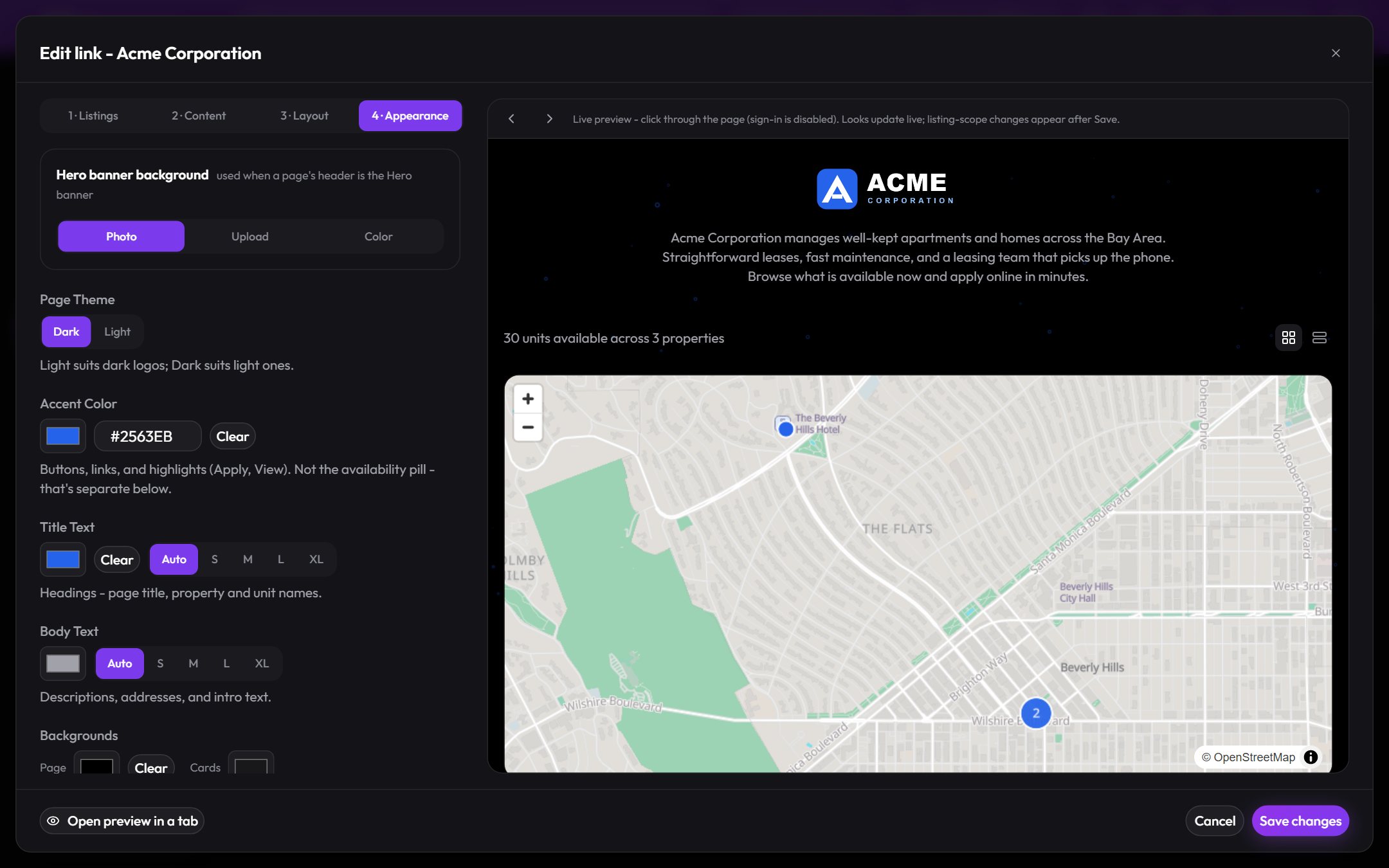
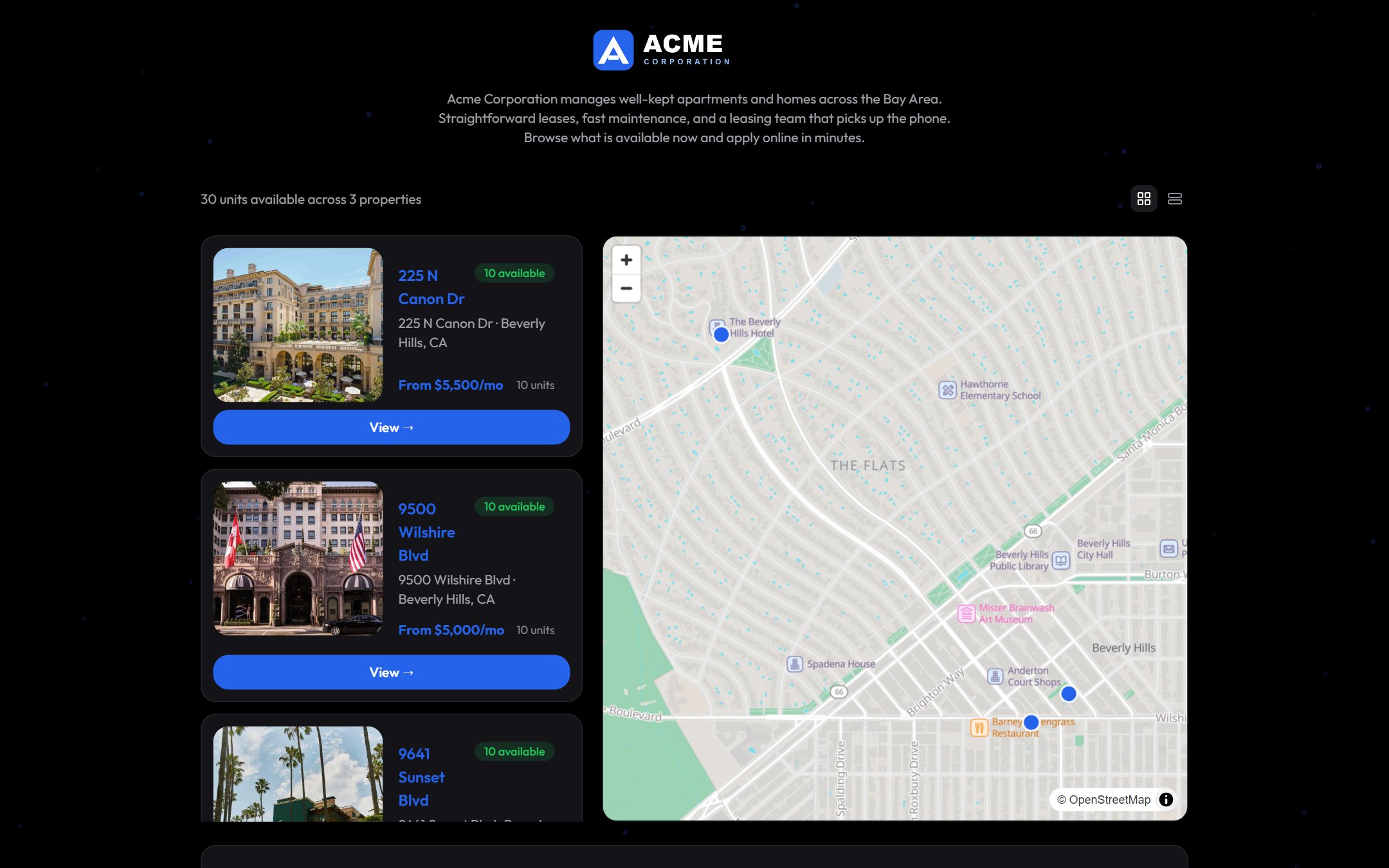
One link that shows everything you have available
Send a link, not a unit. A custom link is a permanent page for a slice of your business: the whole account, one owner’s portfolio, or a hand-picked set of buildings. Availability keeps it current on its own.
- Scoped how you work. Entire account, selected portfolios, or selected properties. New buildings join automatically.
- Your brand on the page. Logo, public title, intro text, license line, layout and colors, with a live preview while you edit.
- Counted, not guessed. Views, submissions, and conversion per link, and renters apply straight from the page into your pipeline.
From applied to signed, in one pipeline
Applications land the moment someone applies. Submitted, in review, approved, signed. Each stage is a filter, each row carries its source and how long it has been waiting, and approval converts into a lease with a guided move-in.
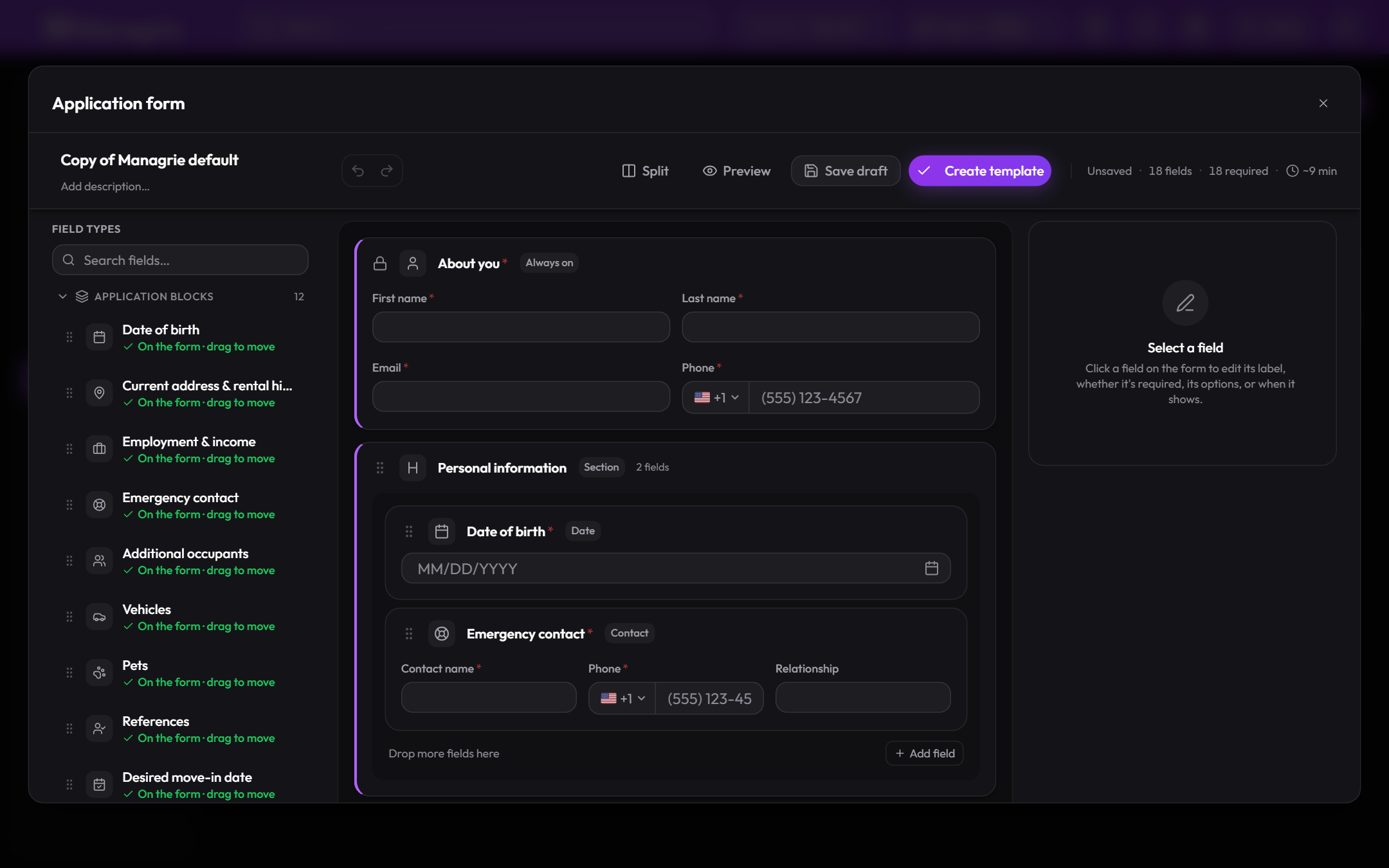
- Your own application form. Duplicate the Managrie default and drag in the blocks you need: employment and income, vehicles, pets, references, move-in date.
- One template per portfolio. Every unit in that portfolio uses the same form, so applicants and your team see one standard.
- Nothing re-typed. Applicant details flow into the tenant record and the lease.
Rent that posts, reminds, and reconciles itself
Rent posts on schedule, per each lease’s own terms. Proration and credits included, and late payments are flagged so you can add a fee in one step. Tenants pay online, and every payment lands on the right ledger the moment it clears.
- Who owes what, by age. Outstanding and overdue balances in one view, with the oldest due date and days late on each tenant.
- Every tenant, one page. Monthly rent, deposit paid, current balance, overdue charges, and the full payment history.
- Exceptions only. You approve waivers and adjustments. The routine runs without you.
Real statements from the live ledger, in one click
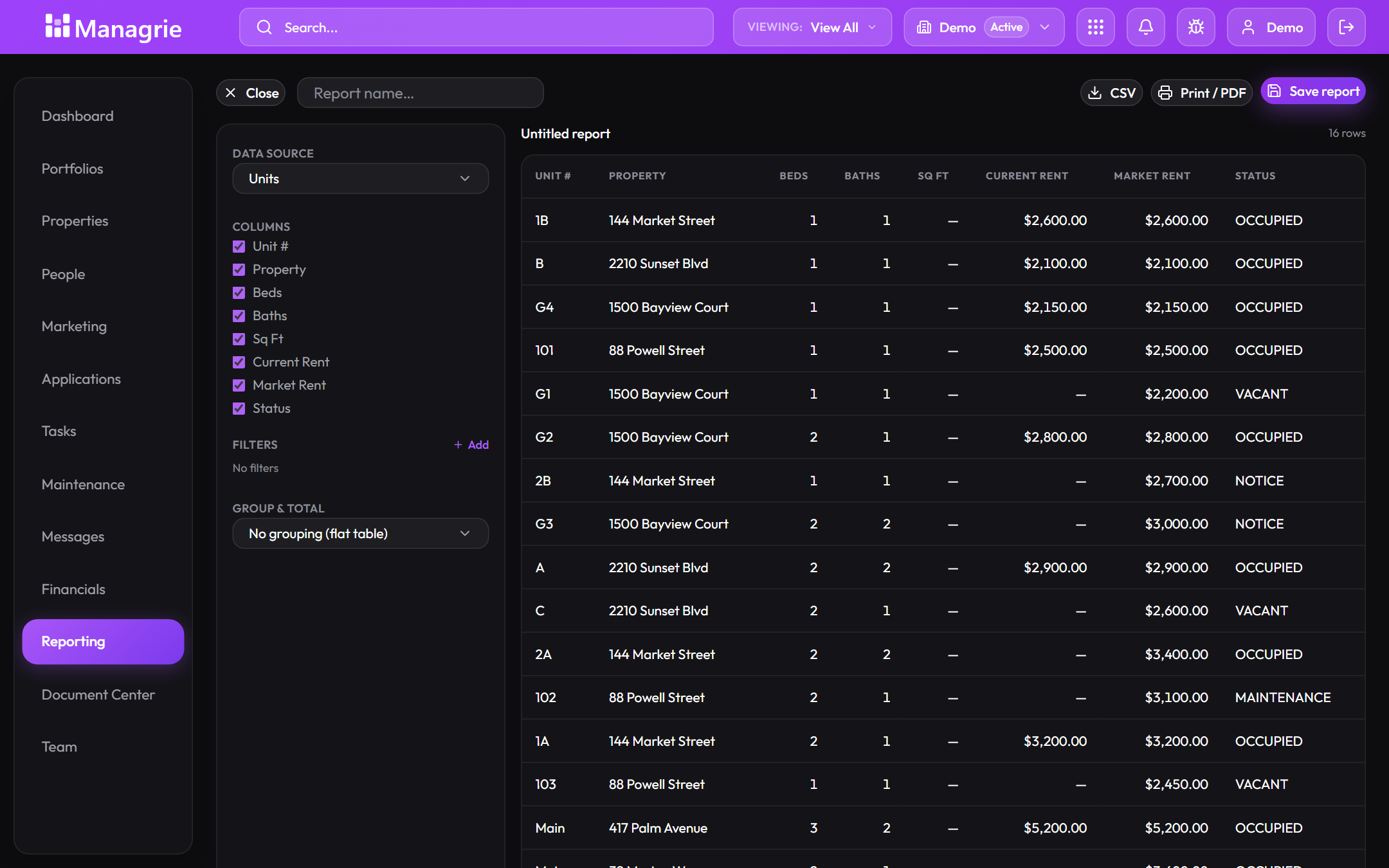
Income statement, delinquency, owner statement, rent roll, lease expirations, occupancy, maintenance. Scoped to a property, a portfolio, or the whole account, for any period, and every report is shareable by URL.
- Build your own. Pick a data source, choose the columns, add filters, group and total. Save it, export CSV, or print to PDF.
- Ready for your accountant. Revenue vs expenses by category with the numbers that reconcile to the ledger.
- Report packs. Bundle the reports an owner expects and send them together.
Every request becomes a work order you can track
Tenant requests arrive as work orders with a number, a priority, and a severity. Assign a vendor from the row, move it from new to scheduled to completed, and the whole history stays on the unit.
- Triage at a glance. Emergency, high, medium, low, with counts for new, assigned, in progress, scheduled, and completed.
- Vendors in the loop. Assign from the table, track who is on it, and keep the invoice with the job.
- Unit turns in one flow. Start a turn and the cleaning, repairs, and rekey line up together.
Model your real structure, LLC by LLC
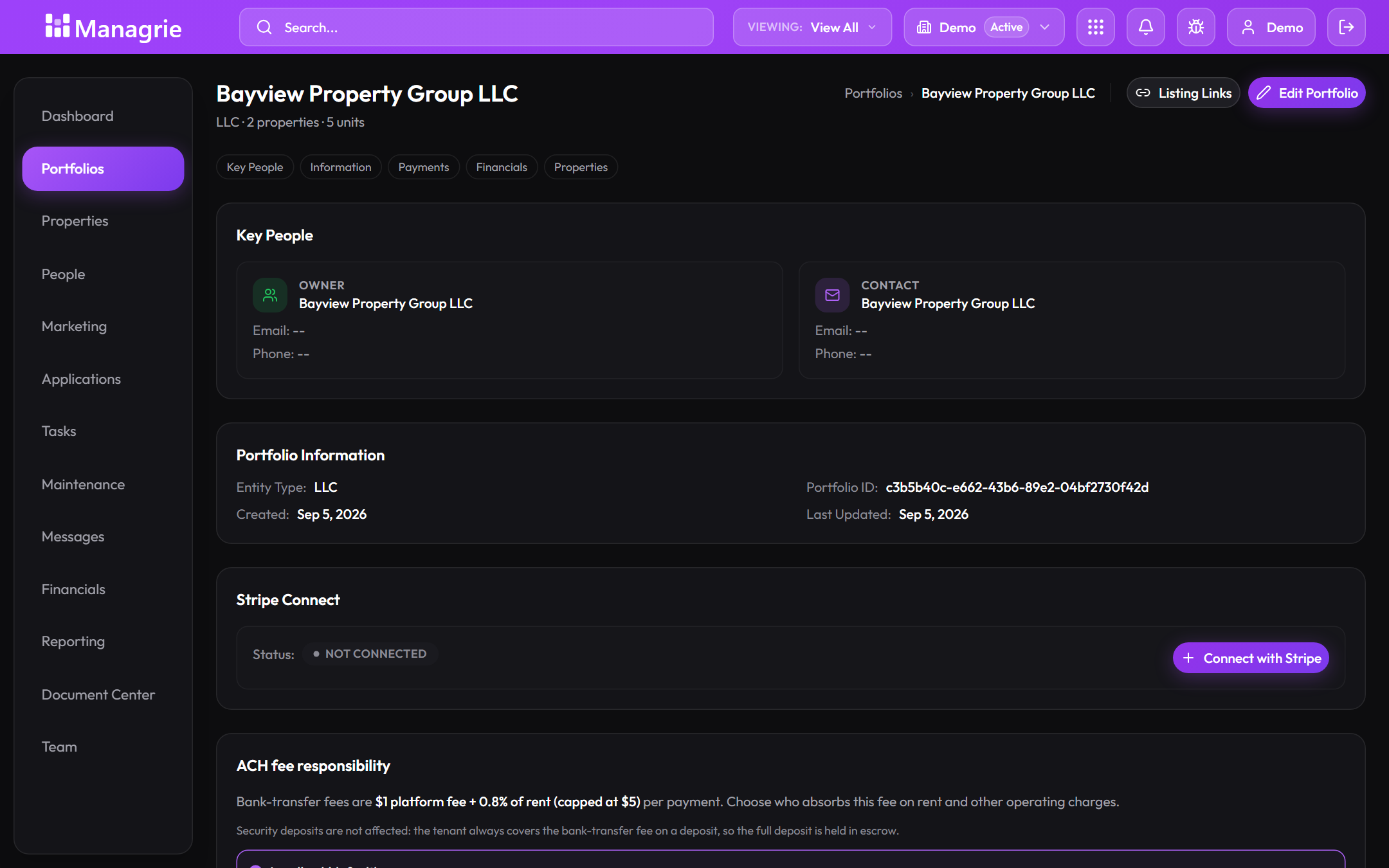
A portfolio is the legal entity that owns the properties. Each one carries its own key people, financials, listing links, and payment setup, so rent lands in the right bank account for the right owner.
- Payments per entity. Connect each portfolio’s payout account, with security deposits held separately.
- Clear fee choices. Decide per portfolio who absorbs bank-transfer fees on rent.
- Reports that respect the lines. Owner statements and income statements scoped to one entity.
Invite your team with exactly the access they need
Owner, admin, manager, staff. Pick the role, pick the properties, and the invite shows precisely what that person can see and do before you send it.
- Property-level access. Assign whole portfolios or single buildings. Staff see only what is assigned.
- Permissions you can read. View properties, edit leases and maintenance, invite the team, billing. Each one is a plain yes or no.
- Invite your way. Email links that expire in seven days, or create the links and share them yourself.
One auditable ledger, down to the cent
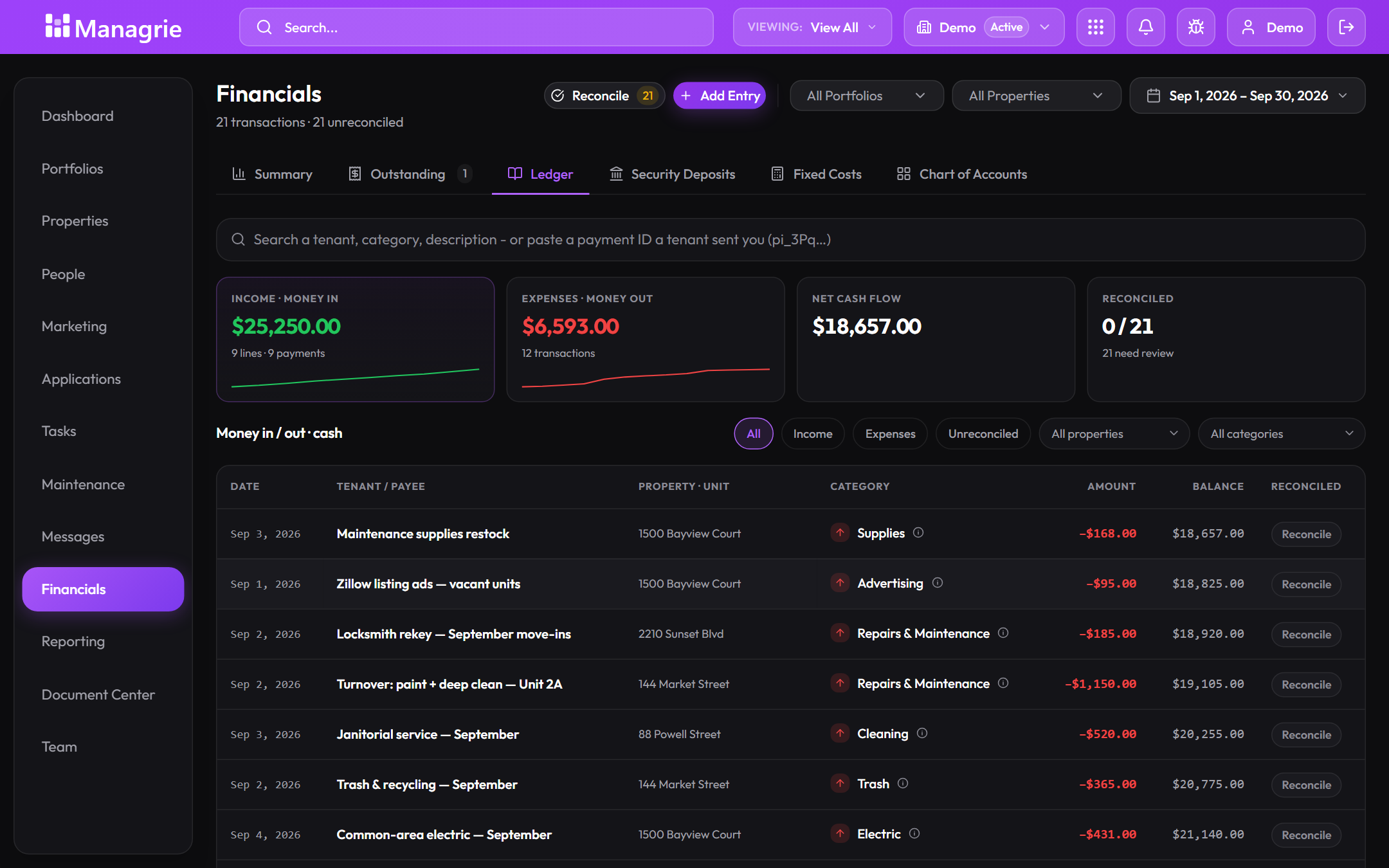
Charges, payments, credits, refunds, and deposits on one ledger. Money in, money out, and net cash flow for any period, with every line reconcilable against your bank.
- Revenue and expense breakdowns. Rent, repairs, insurance, utilities, cleaning, landscaping, each with its share.
- Find anything. Search a tenant, a category, a description, or paste the payment ID a tenant sent you.
- Deposits and fixed costs tracked apart. Security deposits, recurring costs, and the chart of accounts each have their own tab.
The rest of the day job, handled
Every plan includes every feature. These ride along with the eight above, no add-ons.
Portfolio dashboard
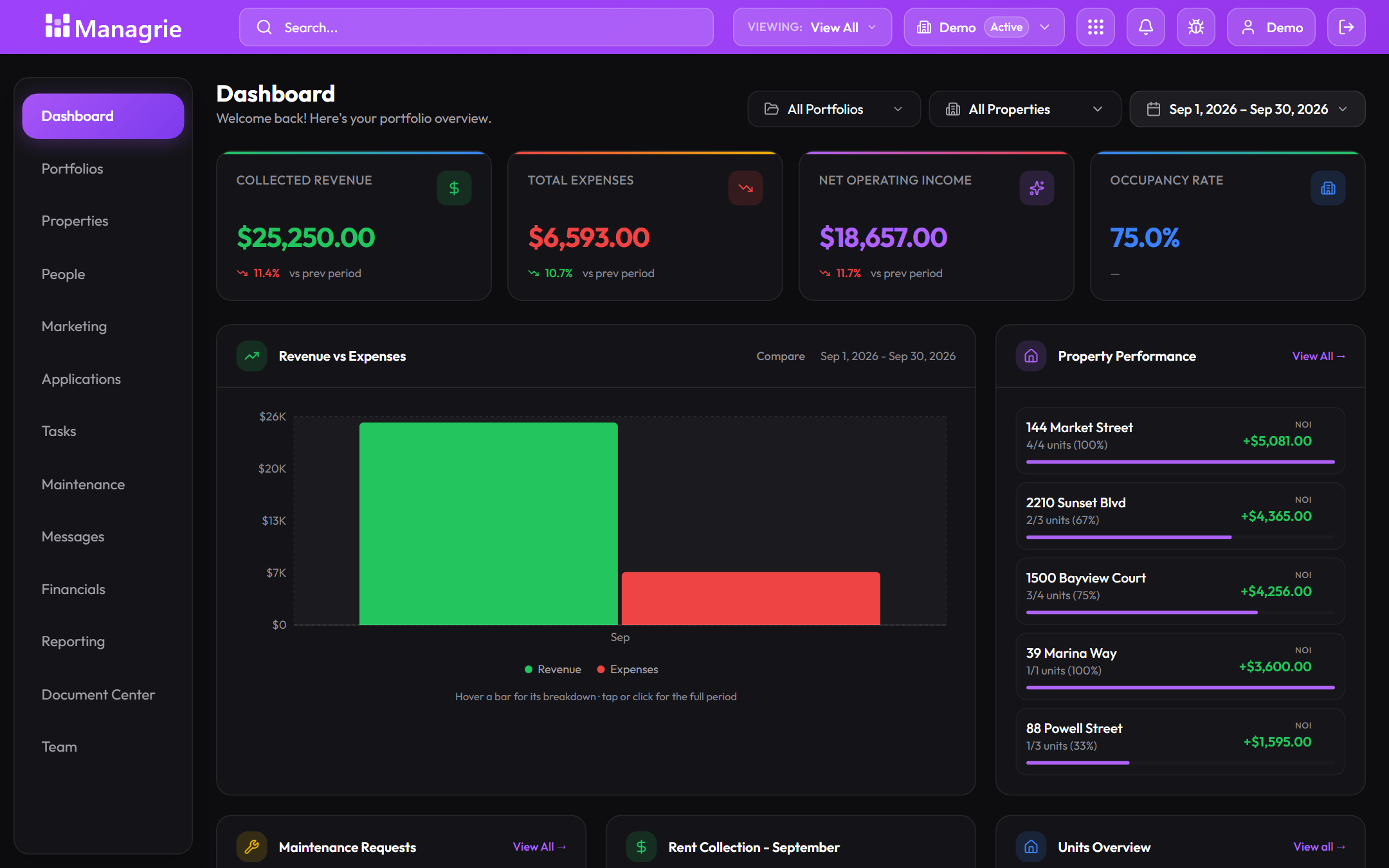
Occupancy, collected revenue, expenses, and property performance, live on one screen. Filter by portfolio, property, and period.
Tenant portal
Tenants apply, pay rent, check their balance and payment history, and file maintenance requests. Self-serve, on any device.
Move-in & move-out
Guided flows for the messy days. Prorated first charges, deposit collection, and a clean ledger from day one to key return.
Tasks & reminders
A built-in board with assignees, priorities, and due dates, in list, board, or calendar view, so follow-ups live where the work is.
Keys, parking & storage
Key sets, parking spots, and storage assignments tracked per unit, so nothing gets lost between tenants.
Document center
Leases, receipts, and files organized by property and category, with starred and recent views and storage you can see.
Outstanding & aging
Balances bucketed by age, deposits tracked separately, and a delinquency report ready when you need it.
Listing performance
Views per link and per page, and the applications they turn into, so you know which listings pull interest.
One-click reports
Real financial statements from your live ledger in one click. No exports, no rebuilding in a spreadsheet.
From vacant to paid in three steps
Publish the listing link
Every unit gets a shareable page, or group them under one custom link. Availability stays current automatically, and every view is counted.
Approve, then sign
Applications arrive on your own form with the details attached. Approve, and the lease activates with a guided move-in.
The ledger takes over
Rent posts, reminders send, late tenants are flagged, and every payment reconciles to the ledger.